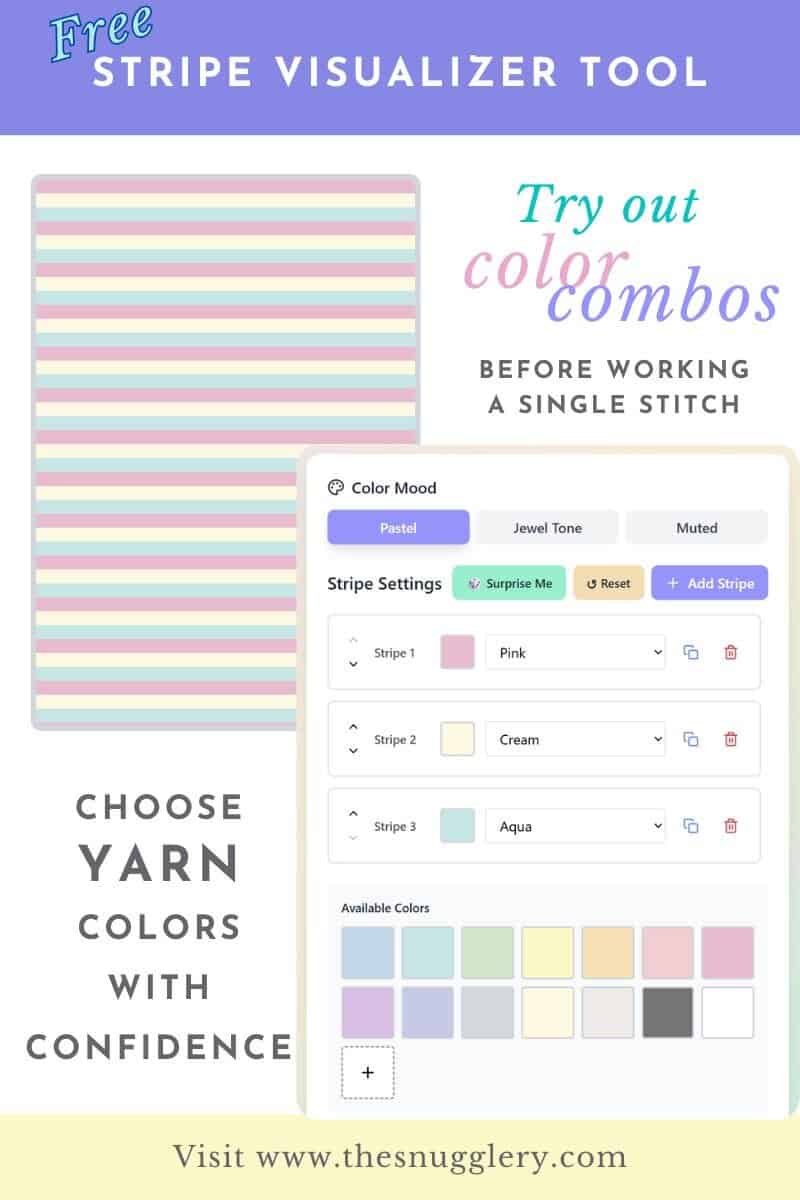
If you've ever stood in the yarn aisle holding five different skeins, squinting at them under fluorescent lights, wondering if this is the color combo that'll finally work-you need this tool.
I created this blanket stripe visualizer after one too many "oops, that looked better in my head" moments. It's a simple way to test out color combinations for blankets, scarves, sweaters, or literally any striped project without buying yarn first or frogging your work three times because the colors just aren't vibing.
What This Tool Actually Does
It takes the guesswork out of color planning. You pick your colors, adjust your stripe widths, and instantly see how they'll look together in a finished project. No more trying to mentally picture how that mustard yellow will play with dusty purple (spoiler: sometimes it works!).
Perfect for:
- Planning blanket (or scarf or even sweater!) color sequences before you commit
- Testing out stash-busting combinations from your yarn hoard
- Getting unstuck when you know you want stripes but can't decide on the layout
How to Use the Stripe Visualizer
- Select your main color tone from Pastel, Jewel or Muted
- Add or delete stripes as needed
- Click a stripe to select it and change its color
- Add multiple stripes of the same color with the copy button to test out what more rows in one color will do
- Add a stripe of a custom color by clicking the plus button under the swatches
- Want to have more fun? Click "Surprise me" to randomize the stripes
- Had too much fun? Click "Reset" to go back to the default settings
Why This Matters More Than You Think
I've wasted good money on yarn that looked perfect in the store but absolutely clashed once I started working with it. Sometimes 3 skeins next to each other doesn't translate the same way once they're laid out in little thin stripes. That's why I love being able to adjust the stripe thickness as well, simulating multiple rows of one color with an accent or even striping.
Plus, it's also fun and inspiring to play around with color combinations you'd never normally consider. You can even hit randomize until something catches your eye and you've found a color combo you never would have thought to do otherwise.
The Weird Thing Nobody Tells You About Color Planning
Colors behave differently depending on what's next to them. That sage green might look totally different bordered by cream versus bordered by charcoal. The visualizer lets you see these relationships without knitting a single row.
My favorite trick? Start with a color combo I love, then swap out just one color for something unexpected. It usually results in combinations I never would've thought of otherwise.
Before You Start Your Project
Once you've landed on your perfect stripe pattern:
- You can save as a PDF on your phone or print your stripes out to bring as swatches to the craft store
- Think of each stripe as two rows, back and forth, in each color in your chosen stitch pattern.
Why I Actually Made This
I got tired of second-guessing every color decision and winding up with half-finished projects because I wasn't sure about my choices. I wanted a way to know how my stash yarns would look worked up without having to put the work in myself. This tool is basically what I wish I'd had five years ago when I frogged an entire baby blanket because my grayish blue clashed with the warm cream color that I thought would match perfectly.
Now I hope you enjoy this totally free tool and keep coming back to double check your color combos.
If you make something using this tool, I genuinely want to see it! Please tag me wherever you are online so I can see what you did with it! There's nothing cooler than watching people take these digital stripes and turn them into actual cozy blankets. Happy planning!